

Merging multiple PDFs allows you to combine documents into a single, organized file. Follow the steps below to merge PDF files easily in PDF Reader Pro:
1. Launch PDF Reader Pro and open a PDF file.
2. Click Tools in the top toolbar and select Merge.

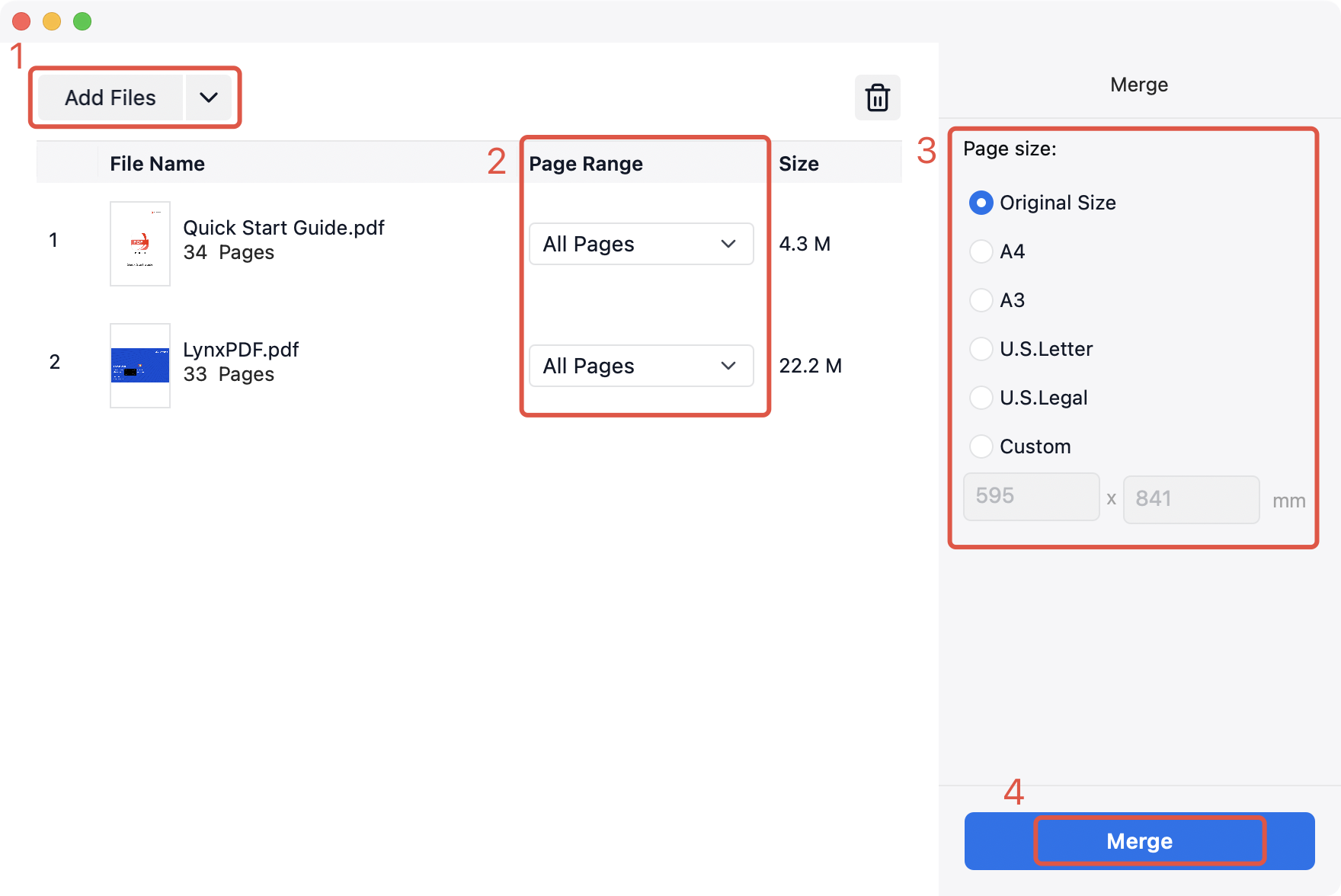
3. In the pop-up window, click Add Files in the upper-left corner to add the PDFs you want to merge, then click Open. The selected files will be listed, and you can set a Page Range for each file if needed.
4. Set the Page Size in the right-side panel.
5. Click Merge, choose a save location, and click Save to generate the merged PDF file.
Combine multiple PDFs into one in just a few clicks — download PDF Reader Pro and start merging files today!


